Unreal C++ & Blueprints, finally at home in VS Code.
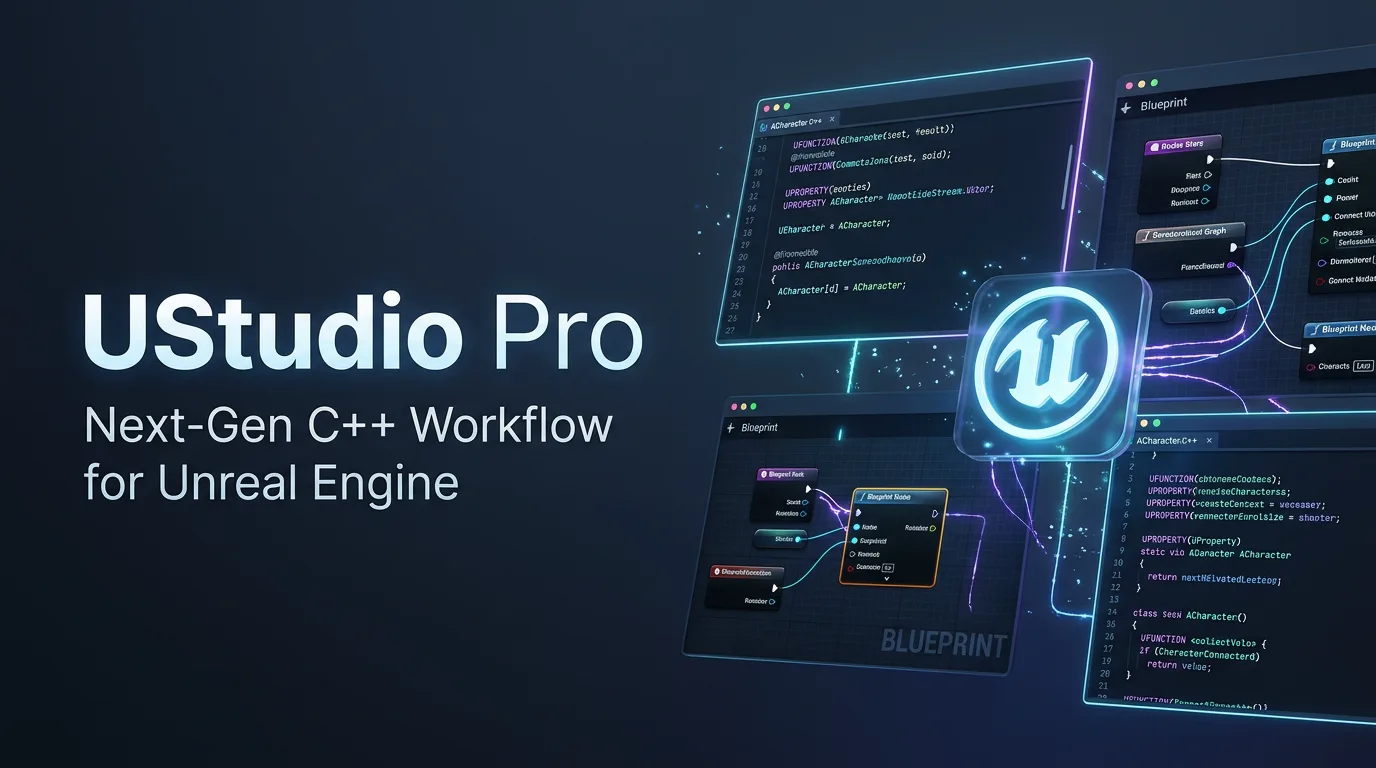
UStudio turns VS Code and Cursor into a first-class Unreal Engine 5 IDE: instant IntelliSense, Blueprint usages above every function, live Unreal Editor integration and one-click debugging, using a fraction of the RAM of heavyweight IDEs.
From IntelliSense setup to Blueprints read as C++, live coding and one-click fixes: the whole workflow in a minute and a half.
Everything Unreal, in one extension
Built for how Unreal developers actually work
UStudio understands reflection macros, RPCs, .generated.h, Build.cs, Blueprints and the running editor out of the box.
Code intelligence that speaks Unreal FreePro
Automatic clangd and IntelliSense setup with module PCHs, so code that compiles never shows false errors. On top: smart F12 between .h, .cpp and _Implementation, real-time reflection sync and a Ctrl+. implementation generator.
Open any .uasset as a C++ header without launching Unreal. See which Blueprints use each function and property, and every Blueprint deriving from a class.
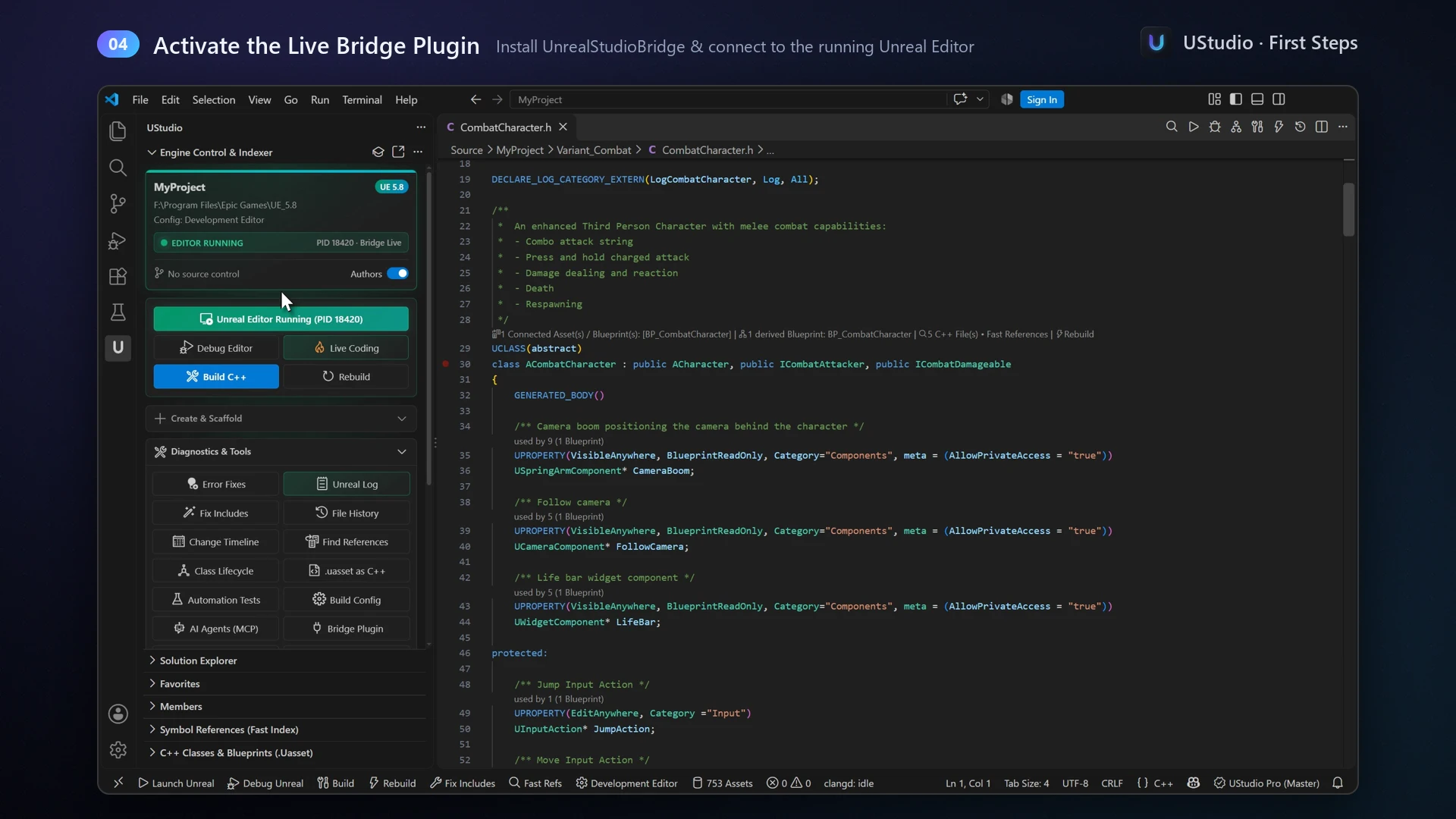
Live Unreal Editor
Double-click a class in Unreal and it opens in VS Code. Live Coding with Ctrl+Alt+F11, the Output Log in a panel, and C++ functions that light up while they run.
Build, debug & fix
One-click build and debug launch, readable FString/TArray values, clickable errors and fix suggestions with a multi-file diff preview before anything is written.
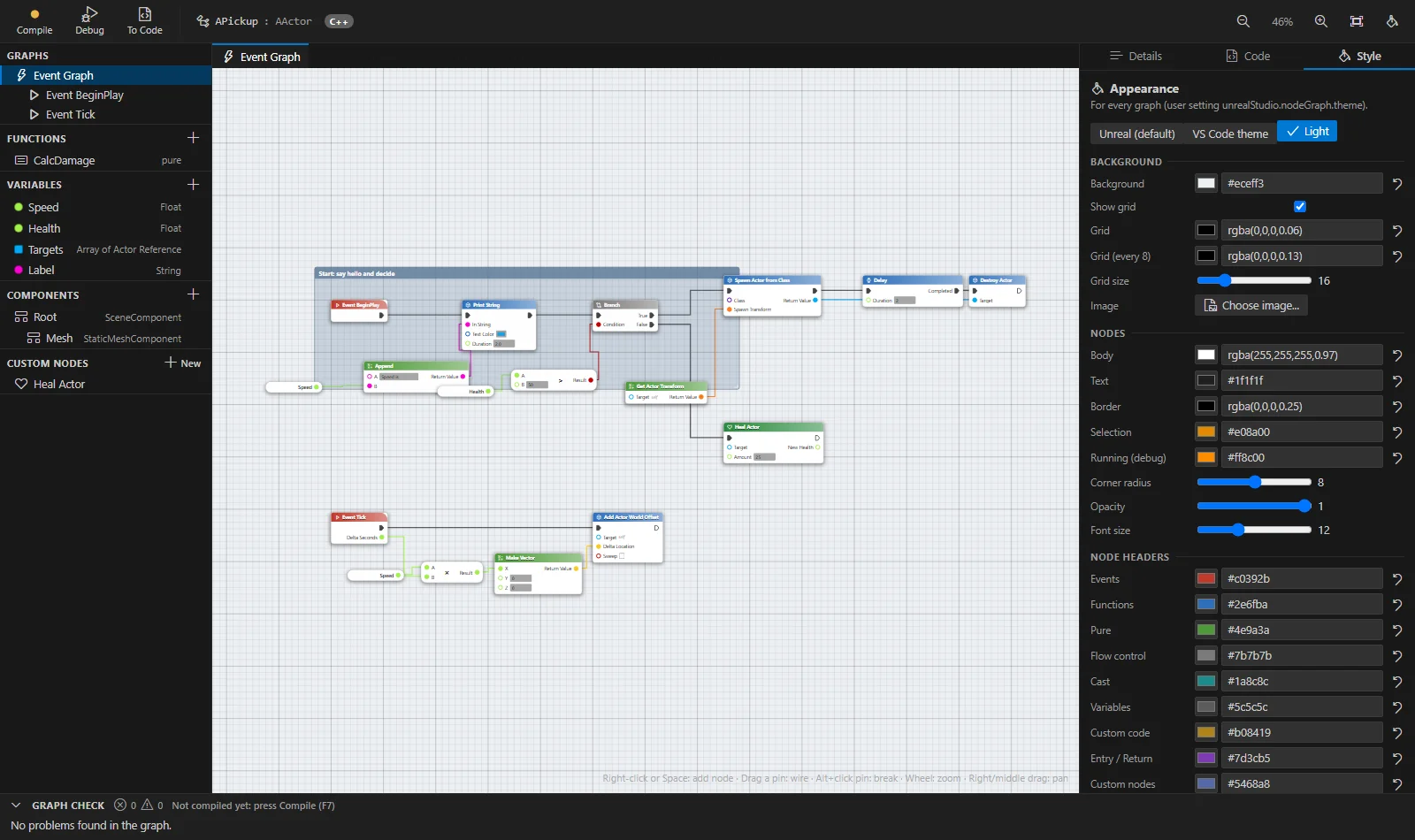
Node Graphs New
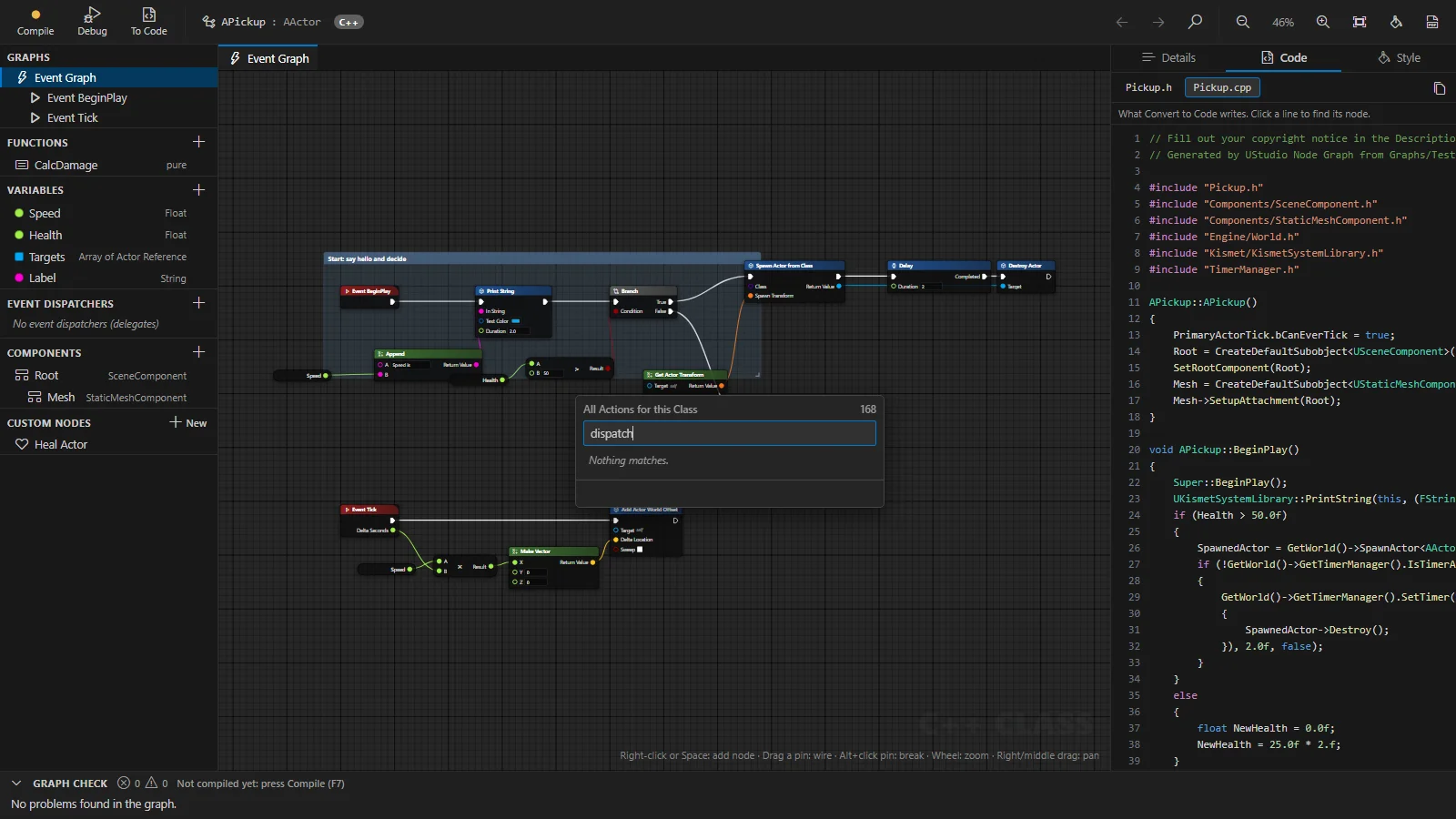
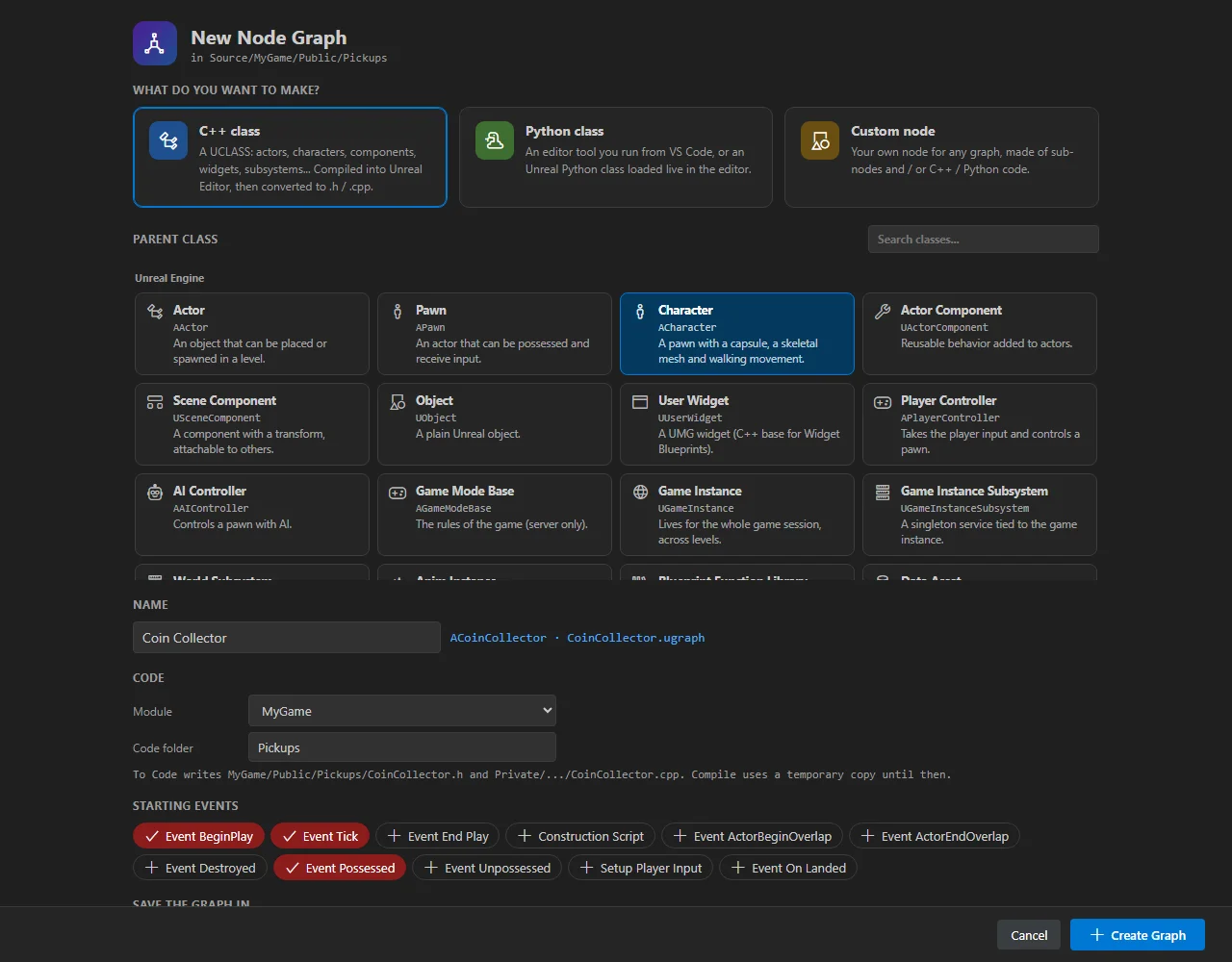
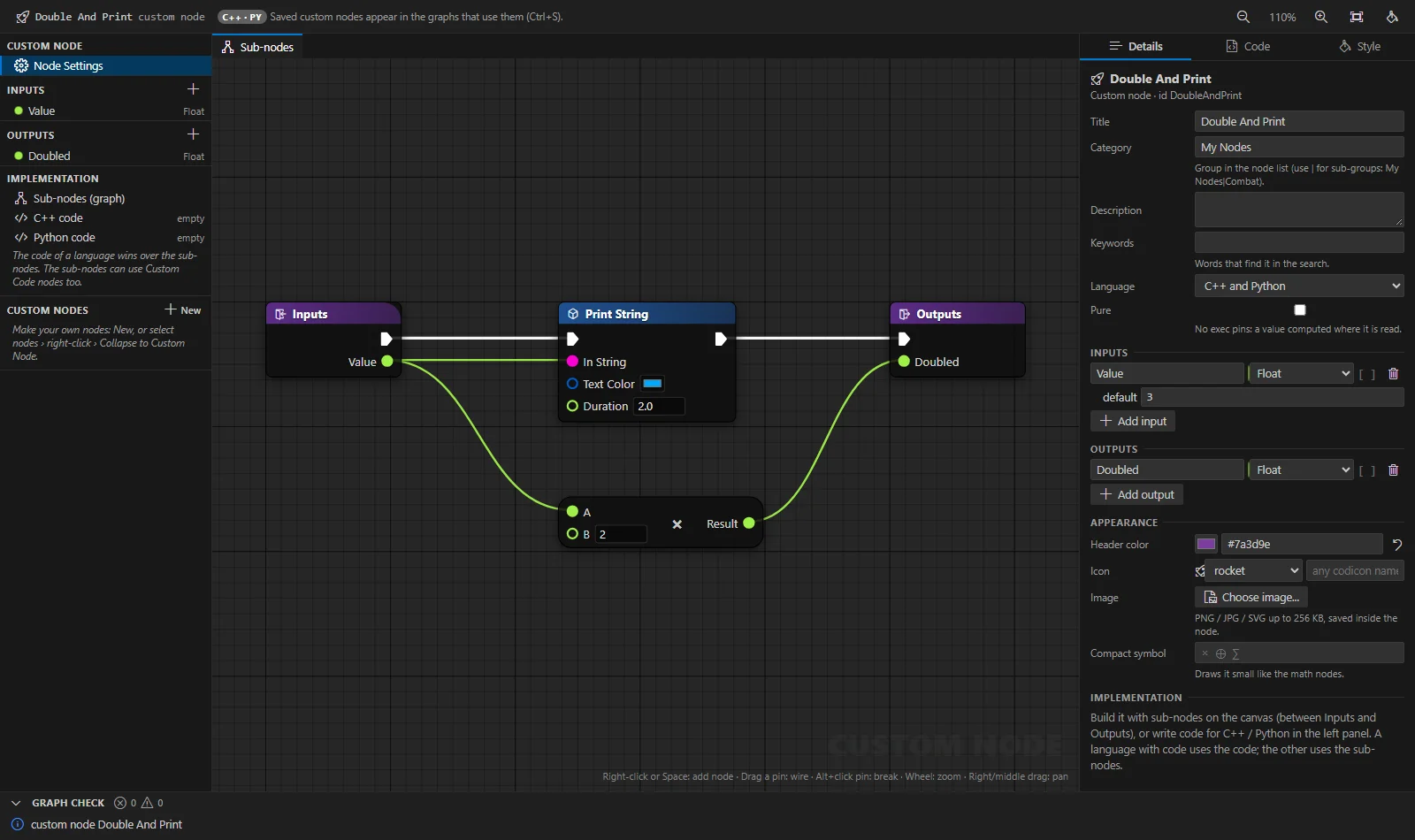
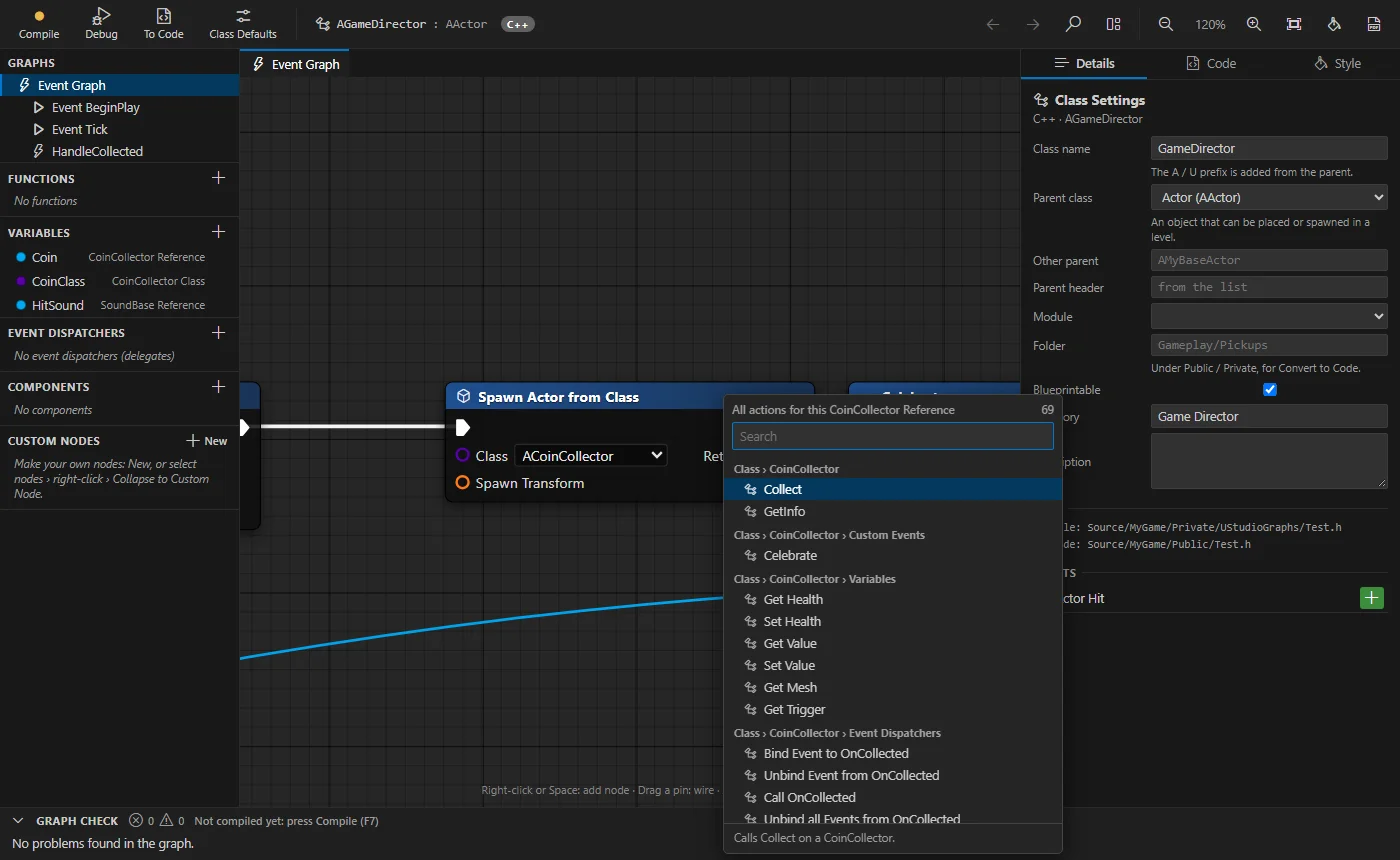
Build C++ and Python classes with Blueprint-style nodes, compile them into the running editor, debug them live and convert them to regular code.
Wizards & gameplay templates Pro
Visual C++ class wizard with a preview of every file
Modular Character, abilities, attributes, status effects, interactables
Real .uasset creation: GameMode, UMG widgets, Enhanced Input, DataTables
New Module & Plugin wizards with diffs of every descriptor change
Python for Unreal Editor Pro
Full import unreal IntelliSense, including your own C++ classes
Run live in the editor, or headless with UnrealEditor-Cmd
29 templates: Sequencer, Movie Render Queue, import pipelines, asset audits
Breakpoints and stepping inside Unreal Editor scripts
Git, Perforce & history
P4V-style file badges, changelists, code authors on every symbol, local file history and a Change Timeline to travel back to any point in time.
Feels familiar
Rider-style Solution Explorer with instant search, Members view, Favorites, Visual Studio / Rider keymaps and one-click layout presets.
AI agents via MCP Pro
Copilot, Cursor, Claude Code and Codex get what only UStudio knows: builds, Blueprints, inspections, templates and Node Graphs, running locally.
Feature clips
Short videos, real workflows
Recorded inside VS Code on a real Unreal Engine 5 project. Click any feature to watch it.
Solution Explorer & MembersAuto-plays · muted
Real-time inspections
Catch Unreal mistakes before the compiler does
The C++ compiler happily accepts code that Unreal punishes at build, link or run time. UStudio flags it as you type, each rule with a one-click quick fix.
Include, module & linker fixes for everyone. Adds the right #include, the Build.cs dependency and enables the plugin, even for LNK2019.
Silence what you don't need.// ustudio-ignore UE001 on a line, or disable a rule project-wide.
Whole-project scan. Run every inspection on every file in one command.
UE001UObject pointer without UPROPERTY() → add UPROPERTY + TObjectPtr
UE003AddDynamic to a non-UFUNCTION → mark it UFUNCTION()
UE004Override that never calls Super:: → insert the Super call
UE005Replicated property missing from GetLifetimeReplicatedProps → add DOREPLIFETIME
UE008UObject created with new → NewObject<T> / SpawnActor<T>
UE009Type from a module Build.cs doesn't reference → add module, enable plugin
UE011Delegate handler with the wrong signature → rewrite .h and .cpp
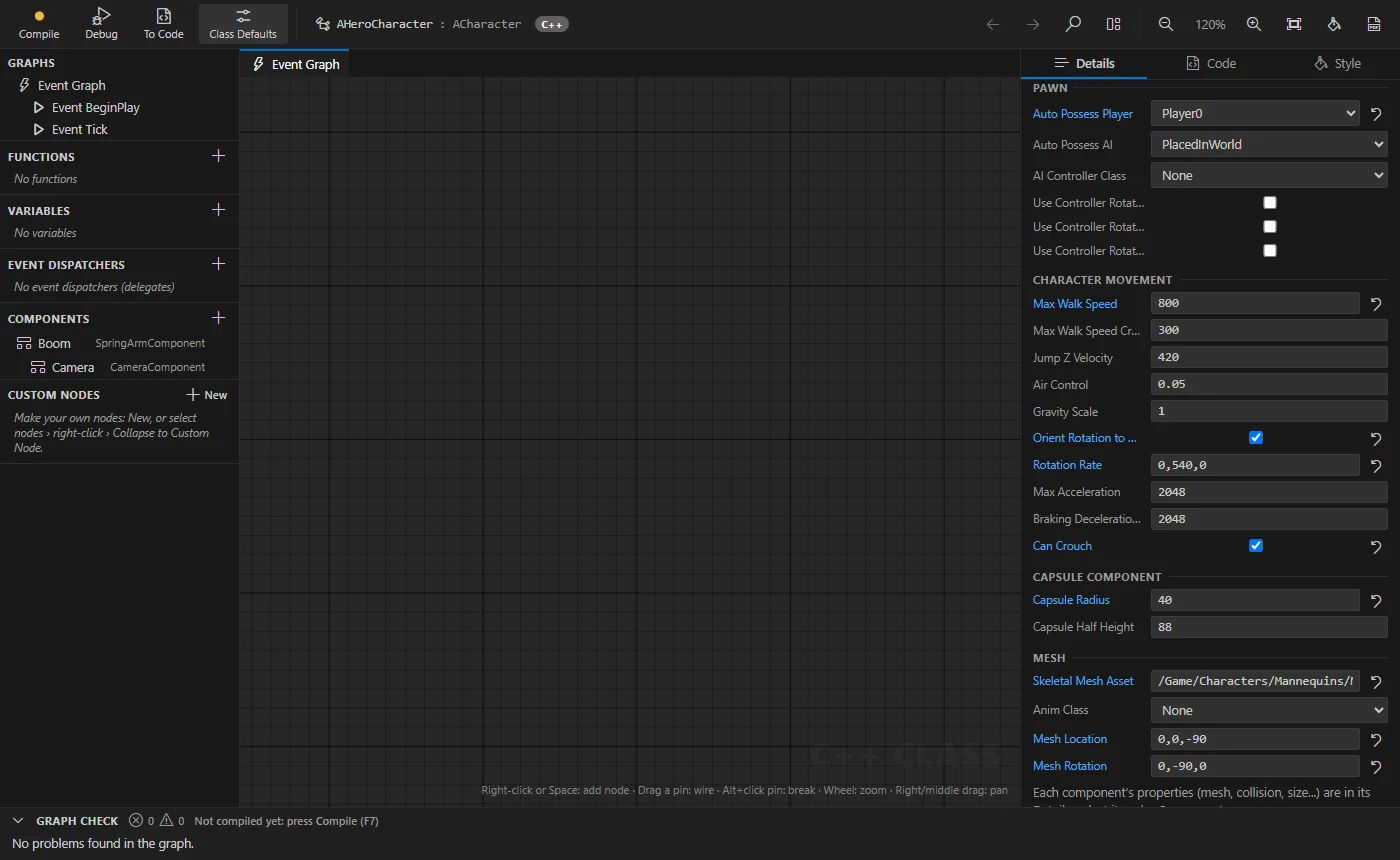
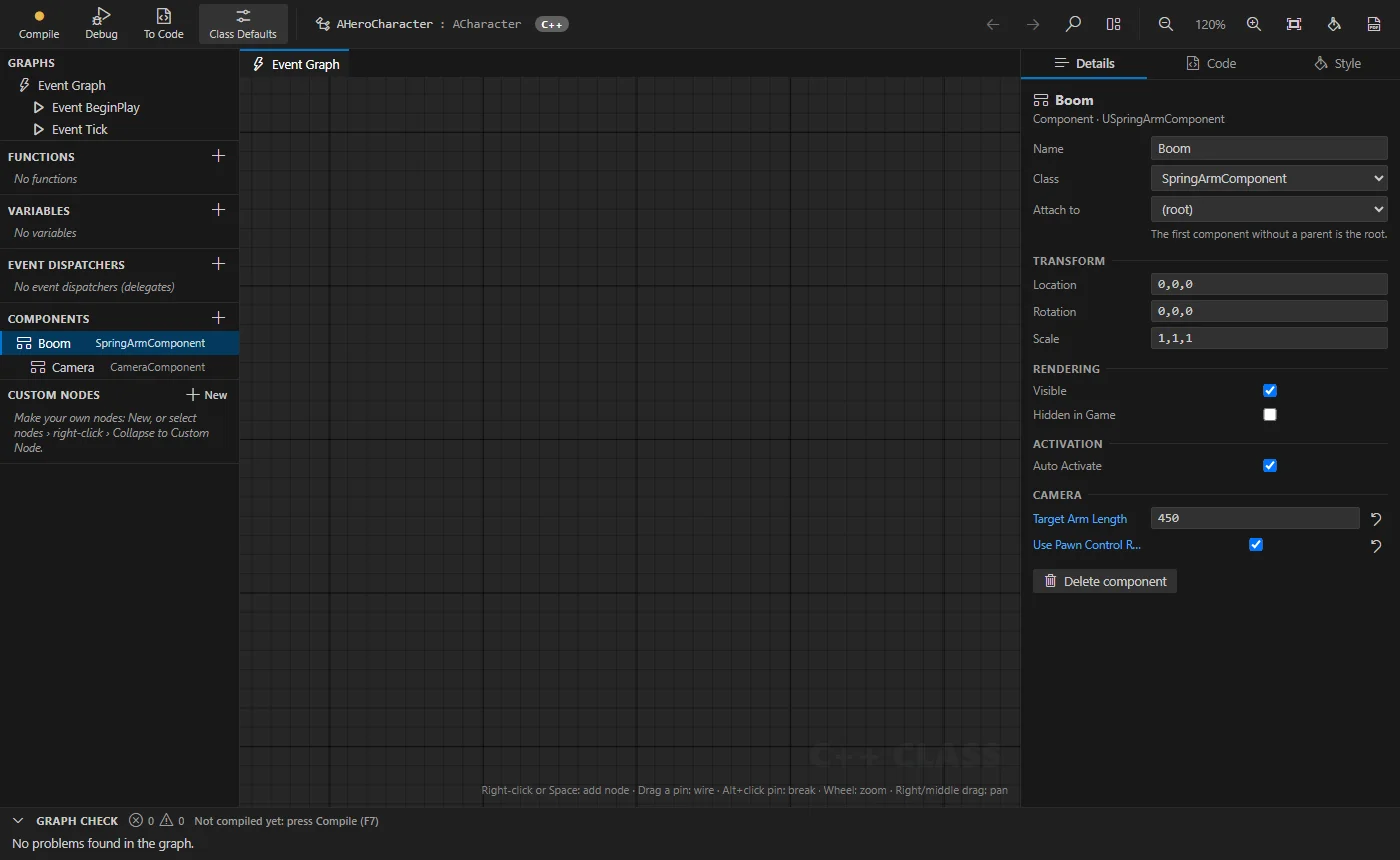
Node Graphs · new in 1.19 - 1.22
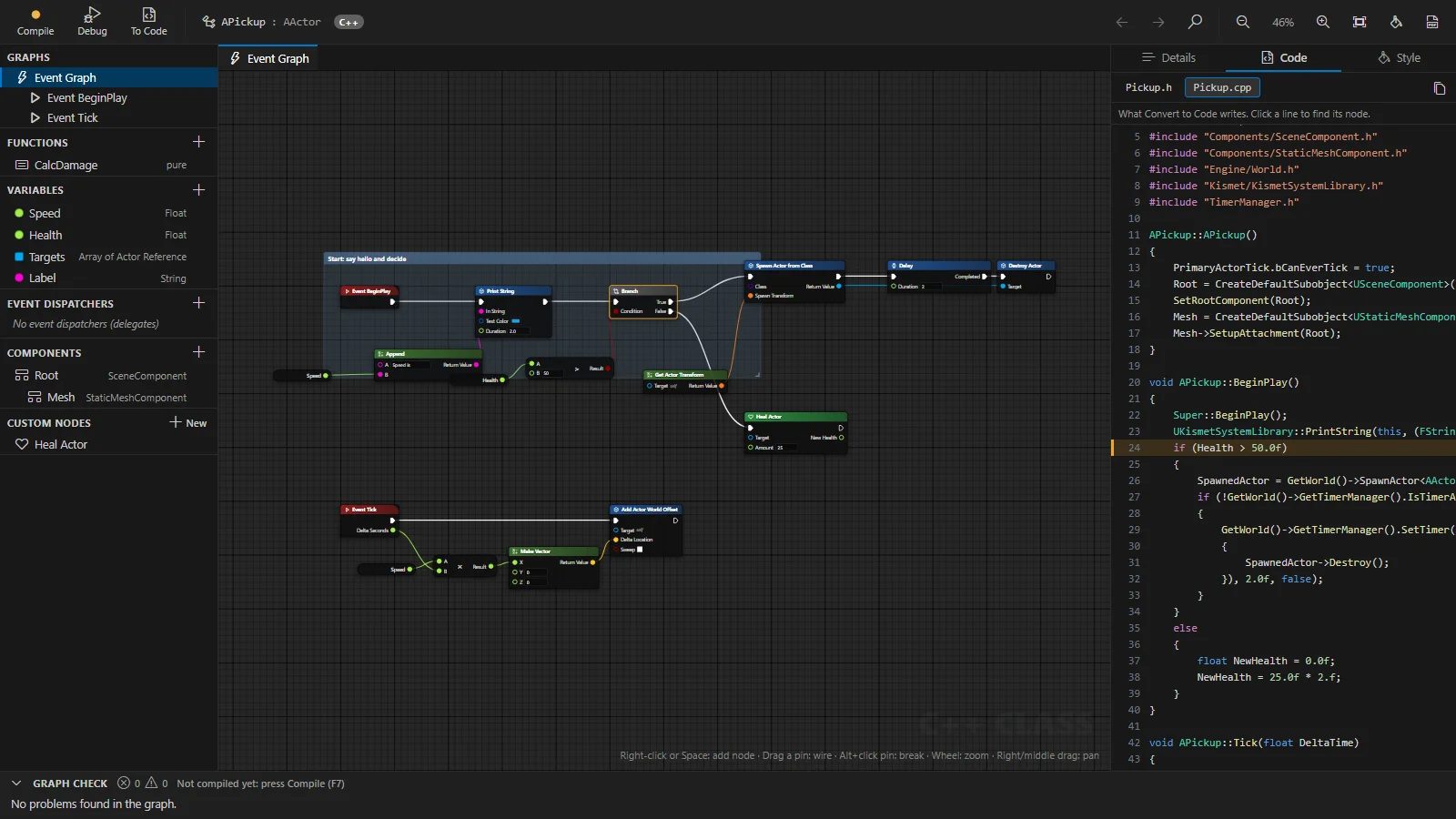
Blueprint-style nodes that compile to real C++
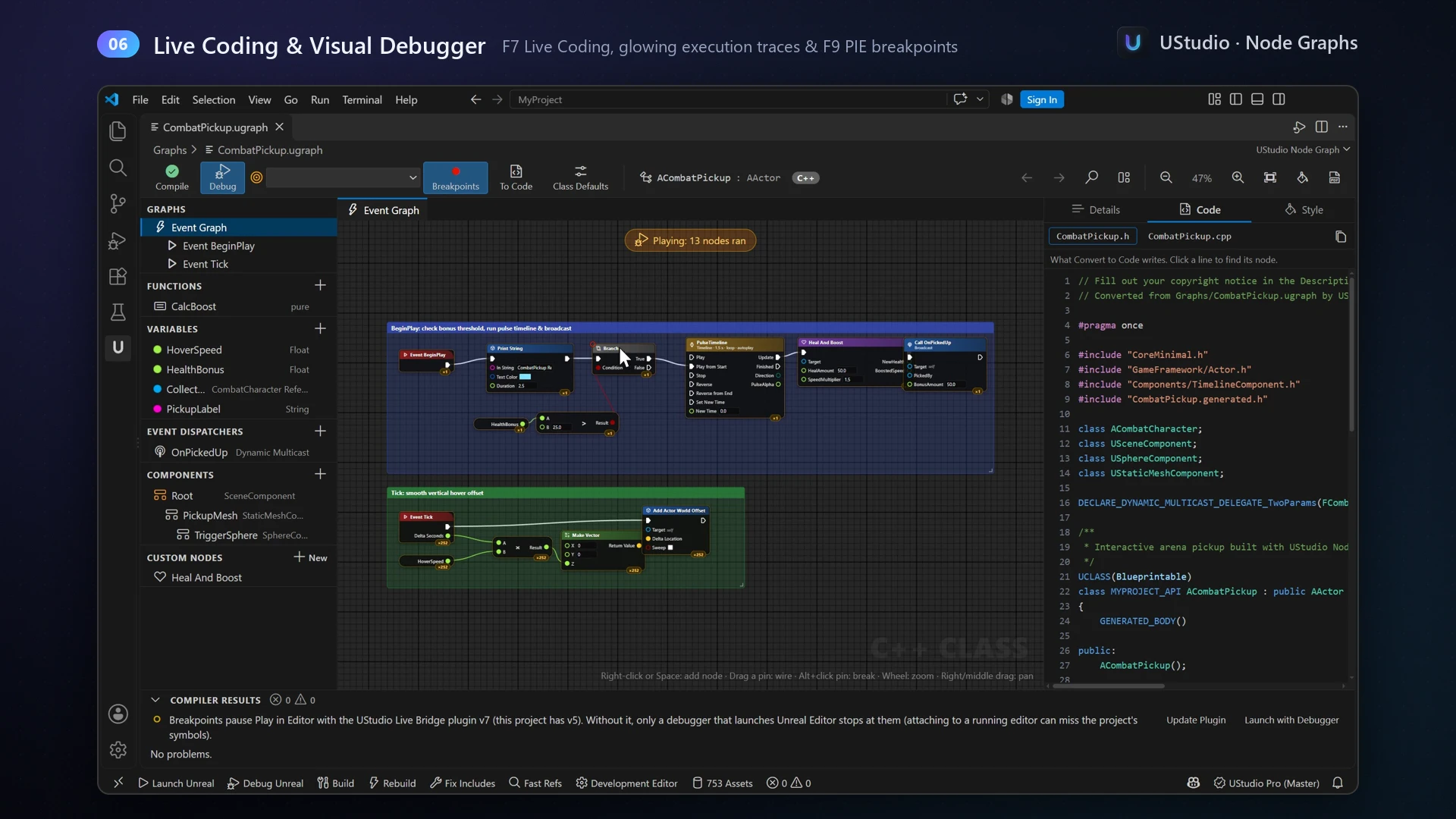
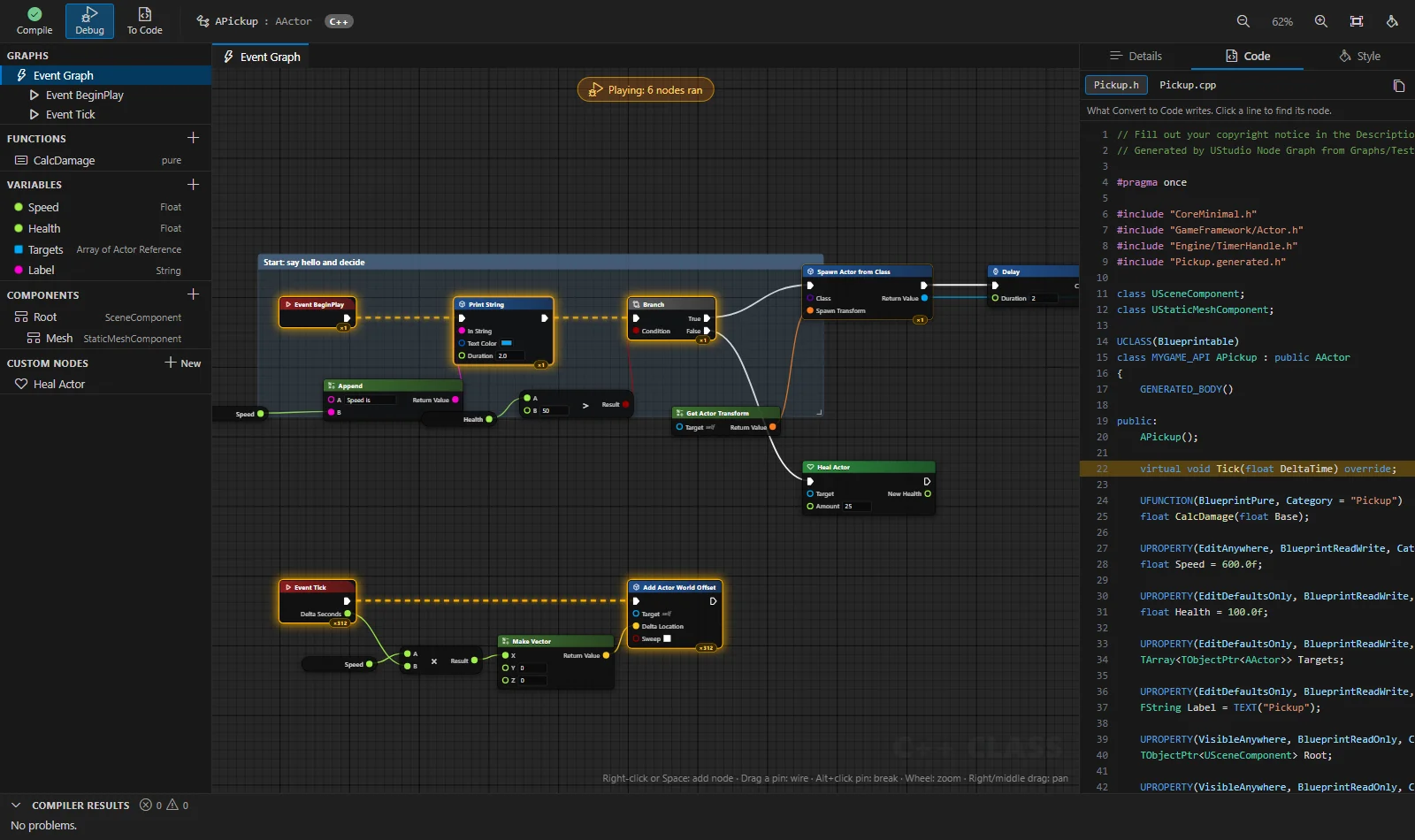
Wire up a class like in the Blueprint editor, compile it into the running Unreal Editor with F7, debug it with breakpoints that pause the game, and convert it to clean, regular code when it's ready.
Graph + live generated C++Live debugging160+ nodesCreation wizardCustom nodesMy Class panelThemes & styleClass DefaultsComponents
Get started in minutes
Three steps to a real Unreal IDE
Open your .uproject folder in VS Code, activate UStudio, let the background indexer scan your project, install the Live Bridge plugin, and start coding.
01
Install the extension
From the VS Code Marketplace, or Open VSX for Cursor. clangd is installed alongside automatically.
02
Open your .uproject folder
Click the U icon. UStudio detects the project and engine version and sets up IntelliSense for you.
03
Follow the guided tour
A step-by-step tour walks you through search, build, new classes, error fixes, history and Python.
Simple pricing
Free forever. Pro when you're ready.
Every install starts with a 14-day Pro trial with every feature. When it ends, UStudio keeps working in Free mode, forever.
Free
$0forever
Everything you need to write, build and debug Unreal C++ in VS Code.
Automatic IntelliSense & clangd setup
Solution Explorer with instant file & content search
No analytics, no usage tracking. UStudio never sends your code or project files anywhere.
Local connections only
The Live Bridge and MCP server listen on 127.0.0.1 and require a per-session token.
Lightweight
A fraction of the RAM of heavyweight IDEs, with a two-phase background engine indexer.
Safe by design
Every wizard and fix previews its changes. Your settings, comments and configs are preserved.
FAQ
Questions, answered
Which Unreal Engine versions and platforms are supported?
Unreal Engine 5.0 through 5.8, on Windows 10 and 11 (64-bit), with VS Code 1.85 or newer, or Cursor.
Does it work in Cursor?
Yes. Install it from Open VSX inside Cursor. IntelliSense uses clangd as in VS Code, debugging uses CodeLLDB with Unreal's data formatters, and the Live Bridge opens classes in whichever editor runs UStudio.
What happens when the 14-day trial ends?
UStudio keeps working in Free mode, forever. You keep IntelliSense, the Solution Explorer, C++ usages, quick fixes, build, debugging, Live Coding and file history.
Is Pro a subscription?
No. Pro is a US$29 one-time purchase that includes one year of updates and unlocks up to 3 machines for your own use. After that year Pro keeps working on every version released during it. An optional US$15/year renewal adds another year of updates.
Do I still need Visual Studio installed?
Unreal Engine on Windows compiles with the MSVC toolchain, so you need the Visual Studio Build Tools (the compiler). You don't need to use the Visual Studio IDE for your daily work.
Will the Live Bridge plugin affect my teammates?
No. UStudio asks before adding the plugin, never modifies your .uproject or shared Config/*.ini, and the plugin only takes over source code access on machines where UStudio is used.
 UStudio
 Discord
 Get it for Cursor
 Unreal Engine 5
 clangd
 Git
 GitHub
 Perforce
 Python
 Claude Code
 Suggest a feature